Flex Skimmer Bridge
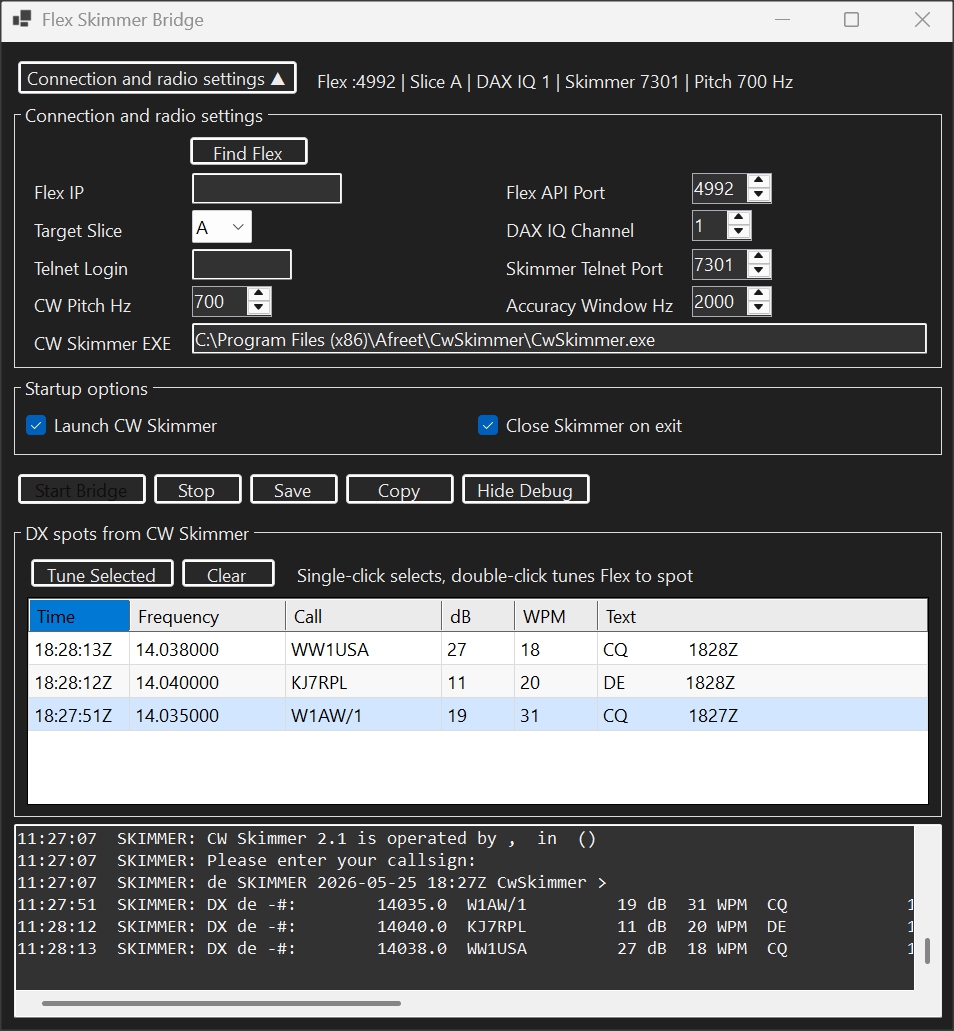
- Select the target Flex slice and DAX IQ channel.
- Launch CW Skimmer and keep the bridge controls in one compact window.
- View CW Skimmer DX spots with UTC time stamps.
- Single-click to select a spot, double-click to tune.
- Also in the newest version. Click to fill N1MM+ Callsign Window.
- Written for Win11, should work on Win10.
- Quick Start and Full Manual in ZIP.
Basic requirements
This utility is intended for operators already running SmartSDR, SmartSDR CAT, Flex DAX, and CW Skimmer. CW Skimmer and SmartSDR CAT still handle their own radio/control settings.
For multi-slice operation, use a separate DAX IQ channel for each slice you want CW Skimmer to monitor.